
In this article, I will dissect what are unmistakably the three most widely used game engines in PC gaming today:
- Unreal Engine 5
- Unity 6
- Godot 4.6
Before we get to the actual technical teardown, however, I need to establish some context. If you are expecting a standard, Windows-centric review from a studio developer who only cares about which engine has the easiest asset store to flip from, you are reading the wrong article. My baseline assumptions about what makes a piece of software good are fundamentally different from the industry standard, and it is important to understand why before I seemingly out of nowhere start panning multi-billion-dollar corporations for their software design.
The Allure of the Impossible
First and foremost: I am not a professional game developer. Where for most people the extent of their understanding of “technology” is Instagram filters or the latest AI gimmick, my interest lies at the foundational level. I care about programming languages, free software architecture, and using digital workflows to solve non-trivial problems.
To me, a computer is a tool that allows for what, even just a quarter-century ago, would be considered magic. “Sufficiently advanced technology is indistinguishable from magic,” as the famous Arthur C. Clarke quote goes. This is precisely why I became interested in game engines. Video games are incredibly complex, interconnected systems of logic, physics, and art.
A lot of people will tell you that game development is hard, but I had to learn the hard way that it isn’t just hard; it is crushingly, ruthlessly unforgiving. It made me understand exactly how Amazon’s game studios found themselves completely helpless when trying to develop their own titles. According to Jason Schreier, Amazon dedicated an eye-watering 500 million USD annual budget to their game studios, yet their flagship MMO, New World, is shutting its servers down in January 2027.
I mention this because the fact that game development can crush even the richest Silicon Valley monopolies makes me appreciate it as an actual artform. Trillions of dollars in market capital cannot buy you a bypass around the sheer complexity of making a good game. It requires immense technical skill and discipline. It is intimidating, but equally alluring.
The Analytical Outsider
Given my appreciation for the technical foundation of games, one might assume I am a professional software engineer. That is not true, either. While I would categorise my programming skill level as intermediate, I don’t actually consider myself a “programmer” by trade or identity, simply because I don’t program all that often.
My interest in coding is highly pragmatic and shares space with a myriad of other, highly physical interests. I am just as likely to be found doing graphic design, or engaging in physical craftsmanship like blacksmithing and fletching, as I am to be found writing OCaml. However, out of all my hobbies, programming is undoubtedly the most cost-effective. It requires nothing but a machine and time, yet produces that aforementioned magic.
I approach game engines not as a corporate developer trying to meet a milestone for a publisher, but as an analytical outsider who wants to build complex, artful systems from the ground up. In my opinion, the options on this front are highly limited, which is why I was not immediately keen on Godot; a free software project.
Linux and the Free Software Lens
This brings us to the last piece of critical context: I am a Linux user, and I place a very high premium on free (as in freedom) software.
When people think of “gamedev,” the default assumption is a Windows user who doesn’t mind giving up ownership of their tools, or even their computer, so long as the graphical interface looks nice. I am different in this regard. Because I approach technology analytically, I generally despise black box software, although I have nowhere near the level of personal integrity that Richard Stallman does to use 100% free software and hardware. Anyway, I want to know how the engine works. I want the freedom to modify it without being a multi-million dollar organisation, and I expect my operating system of choice to be treated as a first-class citizen, not an afterthought.
This lens drastically changes how I evaluate Unreal Engine, Unity, and Godot. As you will see, engines that rely on closed-source ecosystems are inherently fragile in ways that free software is not. Furthermore, if an engine claims to be an industry standard but features a virtually non-existent Linux support pipeline or a fundamentally broken plugin system, I am not going to grade it on a curve just because it can render pretty lighting (usually washed out in TAA; more on that later).
With that framework established, let’s look at the engines.
Unreal Engine 5
Starting an evaluation of game engines with a bloated, proprietary monolith might seem like a blatant contradiction given my strict preference for free software. However, Unreal Engine 5 (UE5) is the undisputed heavyweight of the AAA industry, and ignoring it would make any comparative review incomplete.
To Epic Games’ credit, the initial hook for a Linux user is surprisingly frictionless. Discovering that getting UE5 running on Linux is practically a one-click affair was enough to entice me into giving it a fair shot. Furthermore, the licensing model, free access up to a million dollars in gross revenue, is an objectively good deal. I might advocate for software freedom, but I am also a pragmatist capable of recognising a compelling business proposition. But once you look past the initial “wow” factor, the reality of working within Epic’s ecosystem reveals a deeply flawed architecture that actively fights against clean software engineering and platform independence.
The AAA Toolbox and the Asset Flip Trap
There is no denying that Unreal Engine 5 offers a staggering breadth of features straight out of the box. If your goal is to achieve cinematic fidelity in record time, UE5 is unparalleled. During my evaluation, I grabbed a free limited-time asset, the Brushify Desert Mountains Pack, which normally runs for 1,000 USD under a pro licence. Within an afternoon, I had dragged and dropped my way into a sprawling, photorealistic landscape that could comfortably stand shoulder-to-shoulder with modern AAA releases like Assassin’s Creed or Middle-Earth games.

It is wildly motivating to see a project look AAA almost instantly, but it also acutely exposes how easy it is to fall into the infamous “asset flip” trap. You can build a million-dollar desert in minutes, but actually implementing game mechanics requires engaging with the engine’s underlying architecture and dedication. Indie games are definitely possible, but that is where the honeymoon phase ends.
Where the engine genuinely deserves unqualified praise, however, is its artificial intelligence and animation integration. Setting up state machines and blending animations is an absolute breeze. But the crown jewels are the Behavior Trees and the Environment Query System (EQS). These AI tools are robust enough to create virtually any type of humanoid NPC behaviour. I was able to rapidly prototype NPCs that could intelligently flank, bound from cover to cover, and dynamically evaluate obstacle height. To this day, the AI toolset is the only thing I genuinely miss about Unreal Engine.
The Scripting Conundrum: C++ vs. Binary Spaghetti
Unreal Engine is built entirely in C++, and uniquely among modern game engines, it does not offer a high-level, text-based scripting language like Lua or C# as a middle ground.
For an intermediate programmer who isn’t a self-flagellating masochist, diving into Unreal’s C++ is a grim prospect. It is a notoriously antiquated, macro-heavy behemoth that requires you to wrestle with poor documentation, twenty different ways to initialise a variable, and agonisingly slow compilation times – at least from what I could research before I decided against using it. For someone who values clean architecture, C++ feels like a relic of confused 20th century software engineers.
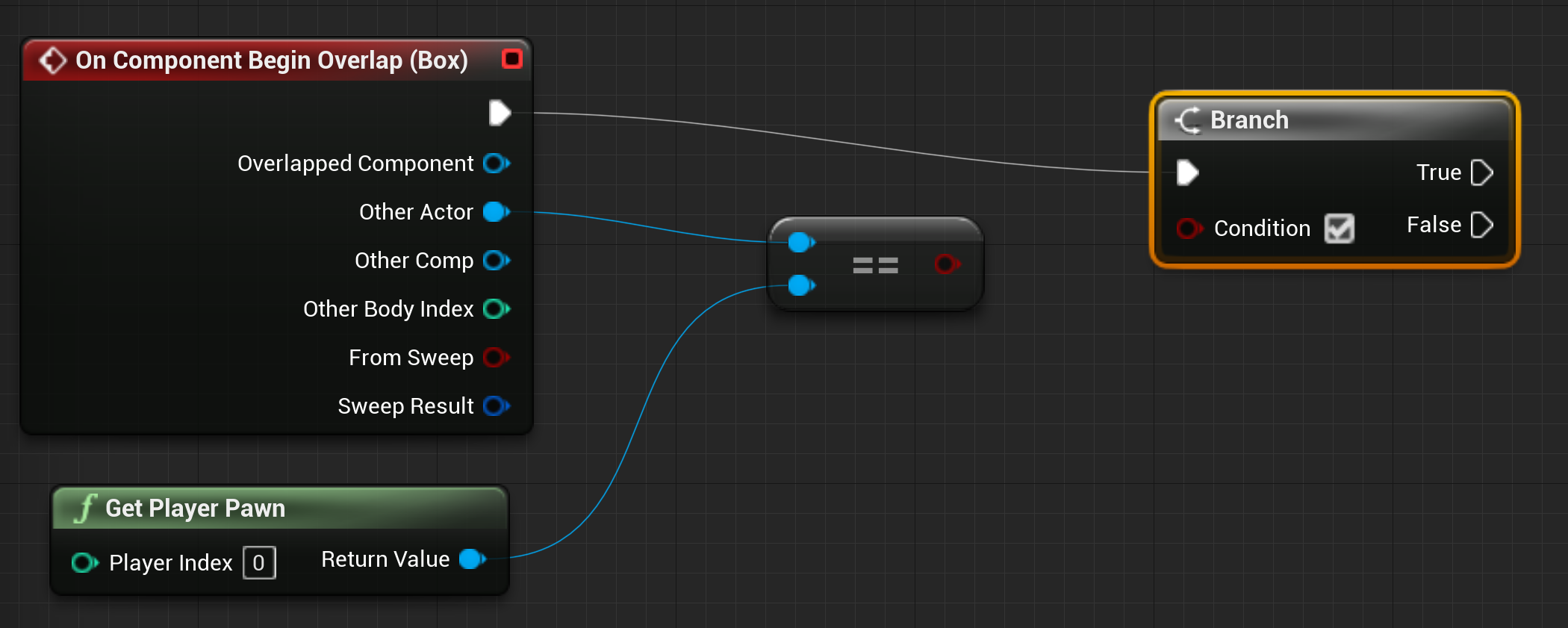
The built-in alternative is
Blueprints,
Epic’s proprietary visual scripting engine. Instead of typing lines of code,
you drag boxes onto a grid and connect them with colored wires. While forcing
yourself to think of logic as a visual flow of data can be an interesting,
almost zen-like exercise, it is a nightmare from a software engineering
perspective. As someone who lives in Neovim, abandoning a highly optimised
text-editing workflow for mouse-driven noodles is a hard pill to swallow. Worse
still, Blueprints are binary files. If you use git for version control, you
cannot simply git diff a Blueprint to see what logic changed between commits.
It is a total black box. Developing logic in UE5 ultimately feels like choosing
the lesser of two distinct evils.
Ecosystem Fragility and the Fab Fiasco
The foundational danger of relying on closed-source software is that you are entirely at the mercy of its steward. In UE5’s case, this fragility is most evident in its marketplace infrastructure, which recently underwent a catastrophic collapse.
In 2025, Epic forcefully replaced the Unreal Engine Marketplace with Fab.
This wasn’t just an unpopular migration; it disintegrated the engine’s core
financial infrastructure. For Linux users, or at least for me, a bug emerged
where purchased plugins in the launcher simply lost the + icon required to
add them to a project. I had paid actual currency for an NPC Eyes Sight
System plugin, and the proprietary launcher arbitrarily decided I could no
longer access my property. I opened an issue on the Unreal Engine
forums,
which remains ignored and unresolved to this day.
But the broken Linux support was just the appetiser for further research. Research into why Epic Games’ is unable to uphold a fundamental business platform. I learnt, the migration to Fab completely deleted all written user reviews from marketplace listings, wiping out years of critical product history. Then, Epic opened the floodgates to generative AI spam on an industrial scale. In one horrifying milestone, a single Fab user uploaded over 38,000 AI-generated models to the shop. These weren’t just ugly; they were catastrophically unoptimised, with single background buildings inexplicably composed of half a million polygons. Pure digital sludge; a crime that far exceeds Alex “YandereDev” Mahan’s infamous toothbrush incident.
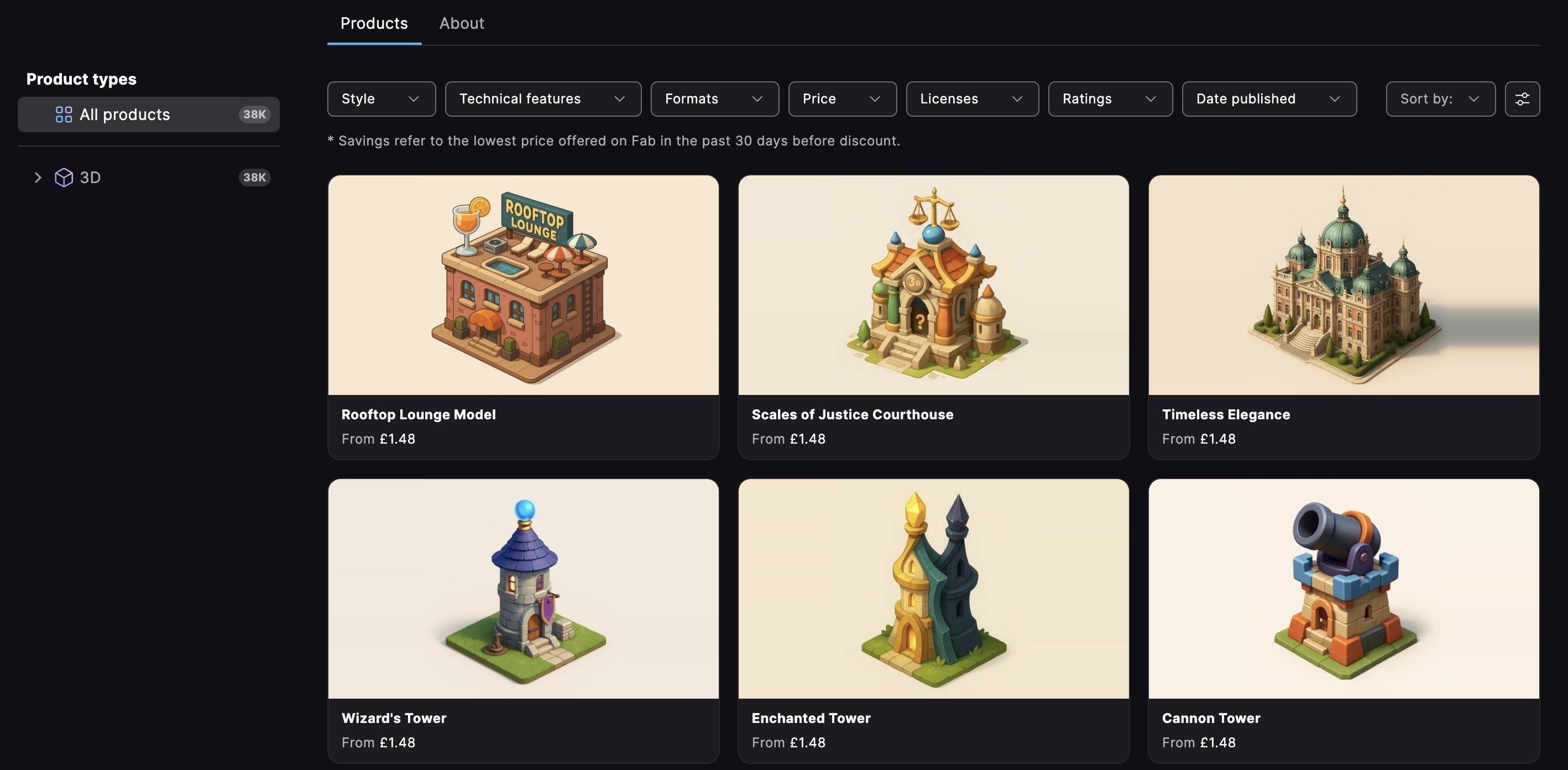
Because Epic failed to implement a vetting process or basic rate limits, this single user running an automated upload script pumped so much unoptimised sewage into the system that it knocked the entire Fab website offline for several hours. Is Epic Games not aware of CloudFlare? Rate limits? Hello? When the proprietary asset pipeline for the most dominant game engine on the planet can be brought to its knees by one guy with an upload script, it serves as the ultimate validation of free-software paranoia. You don’t own your tools; you merely rent access to them at the total mercy of an apathetic corporate launcher.
The Enshittification of Real-Time Graphics
If the broken infrastructure wasn’t enough to drive a developer away, the fundamental rendering philosophy of Unreal Engine 5 should be. The inexcusably awful encounter I had with the engine forced me to research the AAA scene a bit more, which these days around is heavily reliant on UE5. Epic Games sells the illusion of infinite detail and dynamic lighting, but when you step back and analyse what UE5 is doing to modern video games, it is actively contributing to the enshittification of real-time graphics.
A lot of these underlying rendering flaws have been meticulously mathematically documented by rendering analysts1 like Threat Interactive. Epic’s twin golden calves, meaning Nanite (virtualised geometry) and Lumen (global illumination), are fundamentally flawed in practice. Shoving millions of polygons onto the screen via Nanite introduces catastrophic sub-pixel aliasing and massive inefficiencies in material shading due to quad overdraw. Lumen, meanwhile, is incredibly fragile in motion, smearing light unnaturally across faces and leaving a trail of noisy, ghosting artifacts in its wake.
So, how does Epic hide the fact that its flagship features produce a chaotic, noisy image? They smother the entire frame in aggressive Temporal Anti-Aliasing (TAA). Virtual textures, compressed shadow maps, and unresolved lighting are violently blurred together across multiple frames just to make the image passably coherent. The result is the infamous “Unreal Engine look”: a dithery, muddy, vaseline-smeared mess that completely destroys motion clarity. We have reached a point where older engines from the late 2010s are producing vastly clearer, more stable imagery at a much smaller hardware cost. It is only after this research that I started to understand why The Talos Principle 2, a game I enjoyed somewhat, looks so… weird. Now I get it.
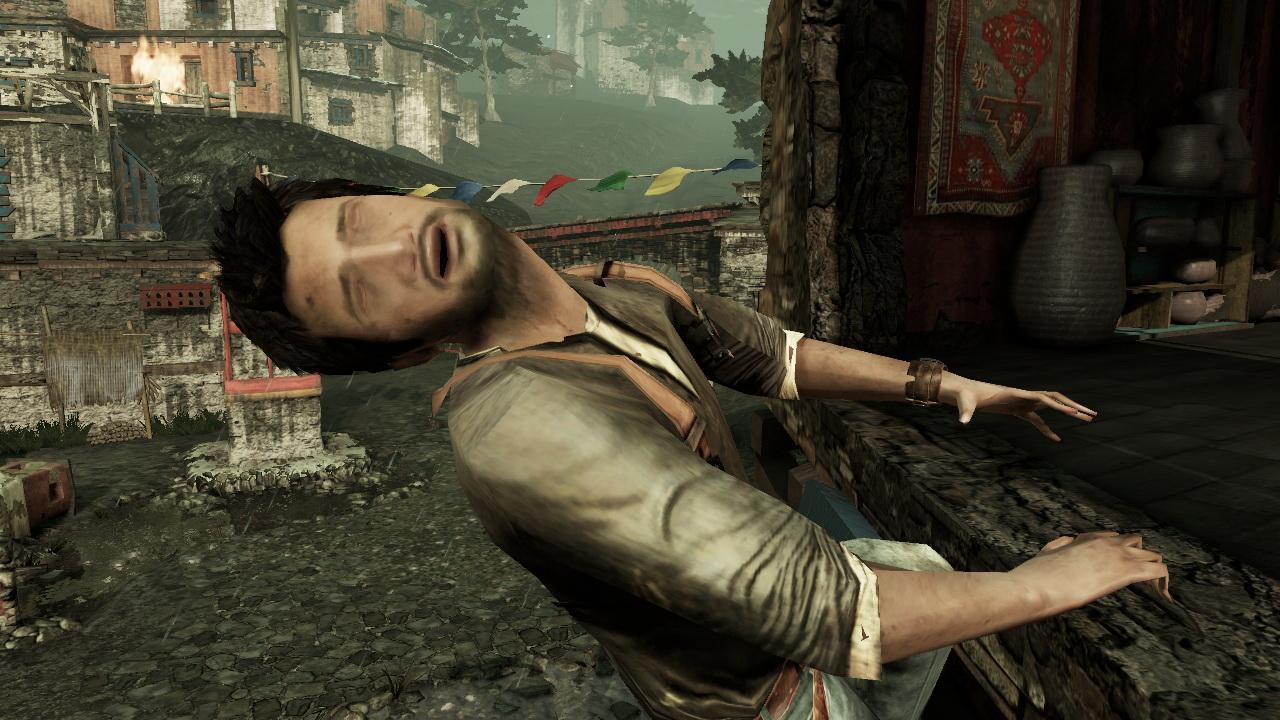
I can’t believe the jokes of Playstation 3 having soapy graphics are making a comeback in 2026 with an entire game engine now.
The Deferred Rendering Trap
To be fair to Epic Games, this systemic visual rot did not happen because their engineers are stupid, because they’re not. It stems from a fundamental architectural shift in the industry: the mass migration from forward rendering to deferred rendering, a technique that traces its mainstream origins all the way back to the 2001 Xbox title Shrek.
Deferred rendering decouples geometry from lighting by flattening scene geometry into G-buffers. While this allows developers to throw a practically infinite number of dynamic lights into a scene, it fundamentally strips the GPU of the crucial geometric edge data required to perform traditional, crisp, hardware-level Multi-Sample Anti-Aliasing (MSAA). As a side-note: MSAA is supported in Unity when using its Forward/Forward+ rendering pipeline.
Hardware manufacturers like NVIDIA and AMD never bothered to innovate silicon-level edge-smoothing techniques tailored for G-buffers. Their inaction forced engine developers into a corner, relying entirely on post-processing patchwork solutions like TAA to hide the resulting jagged edges. TAA is not a technological leap; it is a desperate software bandage wrap that attempts to fix a foundational rendering flaw by simply blurring the evidence. In other words: not a solution.
At least, this is how I understood it. I could be wrong, but it is obvious to me that something is rotten in the state of Denmark. In either case, Unreal Engine 5 is a hard pass. I recommend nobody use the engine; Linux user or otherwise.
Unity 6
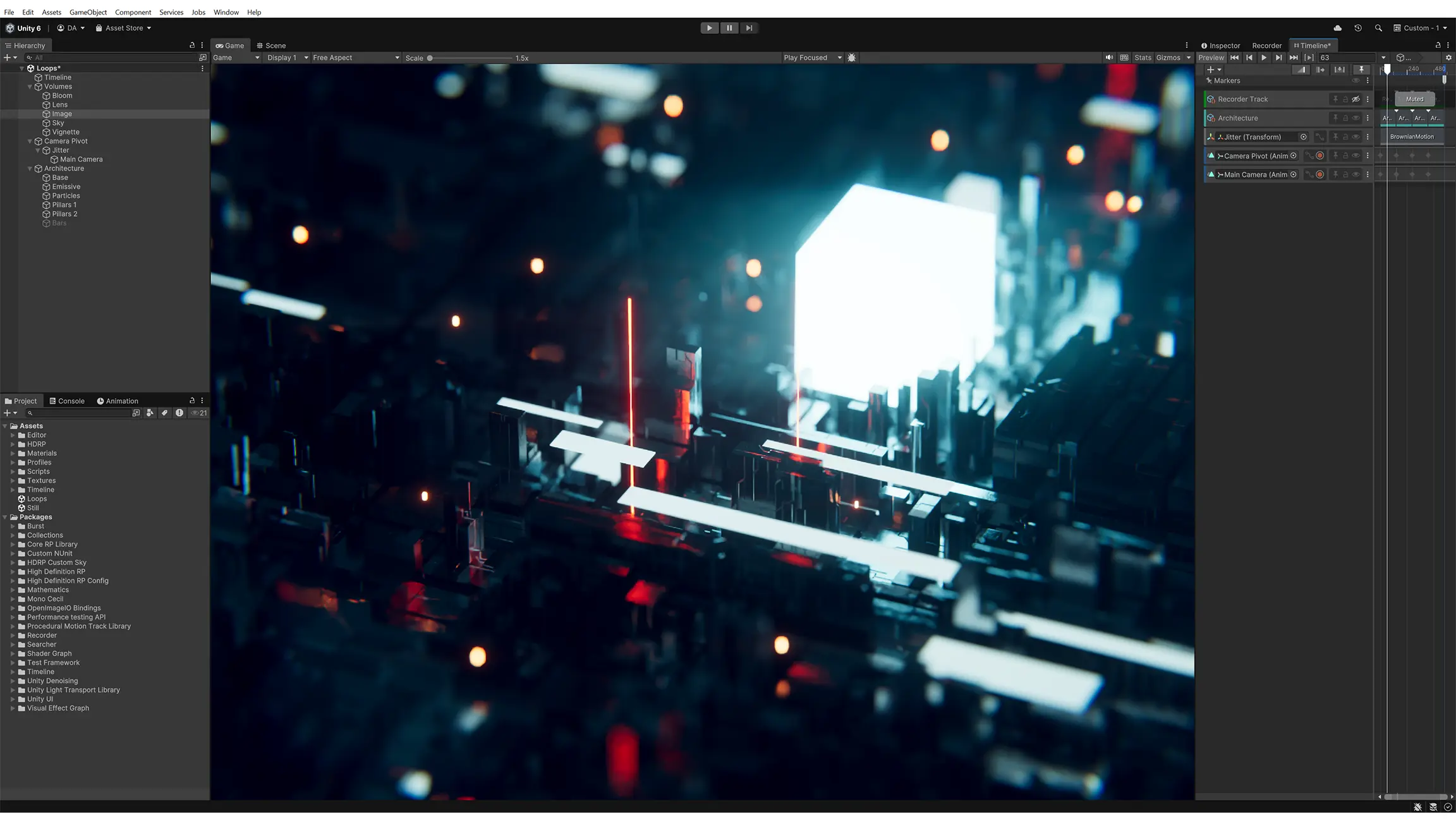
Leaving Unreal Engine 5 felt like stepping out of a dysfunctional relationship. My next logical step was to seek out the most prominent alternative: Unity.
Approaching Unity in 2026, however, feels a bit like adopting a stray dog that you are pretty sure bit several children a few years ago. The shadow of the 2022 licensing fiasco, where Unity Technologies disastrously attempted to charge developers a per-install “Runtime Fee”, looms over everything the company does. It was a move of such breathtaking self-immolation that no amount of apologetic blog posts can fully scrub the stain clean. But, as I mentioned, I am a pragmatist. The new Unity EULA explicitly promises not to retroactively change licence terms, so with a heavy dose of scepticism and my hand hovering over the uninstall command, I gave Unity 6 a shot.
Right out of the gate, Unity proved its single greatest strength: actual, functional cross-platform compiling. UE5 is fundamentally a Windows engine that merely tolerates other operating systems; if you develop on Linux, you can only build a Linux game. Unity, on the other hand, treats Linux as a legitimate development environment. From my Fedora machine, I could flawlessly compile my project for Windows. This is the kind of fundamental, unsexy feature that free software advocates actually care about.
The Barebones Toolbox and C# Elegance
If UE5 is a fully-furnished mansion where you aren’t allowed to look inside the walls, Unity is a hammer, some nails, and a vacant plot of land. It is strikingly barebones.
In UE5, if you want an NPC to react to the player, you have built-in Behavior
Trees and AI query systems waiting for you. In Unity, you have GameObject and
MonoBehaviour. You want an NPC? Write a script. You want it to react to
sound? Write another script. The engine provides the primitive building blocks
but offers almost no opinion on how they should be assembled.
This blank slate is saved entirely by the fact that Unity feels like an engine designed by programmers, for programmers. C# is a genuinely pleasant language to work with, especially after staring into the abyss of Unreal’s C++. It is modern, expressive, and compiles reasonably quickly. When I prototyped a complex stealth mechanic – casting rays from an enemy to individual skeletal joints on a player to calculate light exposure and visibility percentages – I didn’t have to wrestle with binary visual spaghetti or buy a third-party plugin. I just wrote C# code, interacting directly with the engine’s exposed transform data, and it worked flawlessly. At least, it worked how I expected it to. It was nice.
However, Unity’s hands-off approach also means its built-in features often feel disjointed, like they were designed by different teams in different time zones. Take the input system, for example. Unity introduced a genuinely excellent new input system, but inexplicably left the old one active. If you follow an older tutorial, you might call the old API, resulting in compile errors. If you use the new one, you can’t interact with the old one. Why is the deprecated system still bolted into the engine by default? Someone who slavishly reads Unity forums probably knows, but to an outsider it is a mystery.
The Multiplayer Miracle: Mirror
While Unity’s built-in toolset can feel spartan, its component-based architecture allows for third-party frameworks to integrate seamlessly, and nowhere is this more apparent than in networking.
Networking is notoriously the domain of dedicated engineers who spend years untangling state synchronisation and rollback logic. I fully expected this to be a wall I couldn’t climb. Then I discovered Mirror, a high-level networking framework that abstracts away the soul-crushing complexity of multiplayer development.
Mirror is, without exaggeration, one of the most impressive pieces of software
I have ever encountered. You simply mark a script as a NetworkBehaviour, tag
variables with [SyncVar] to automatically synchronise them across clients,
and use [Command] or [ClientRpc] to shuttle functions between the server
and clients. That’s it. Within a week, I had a co-op lobby running. I could see
the other agent moving smoothly in real time.
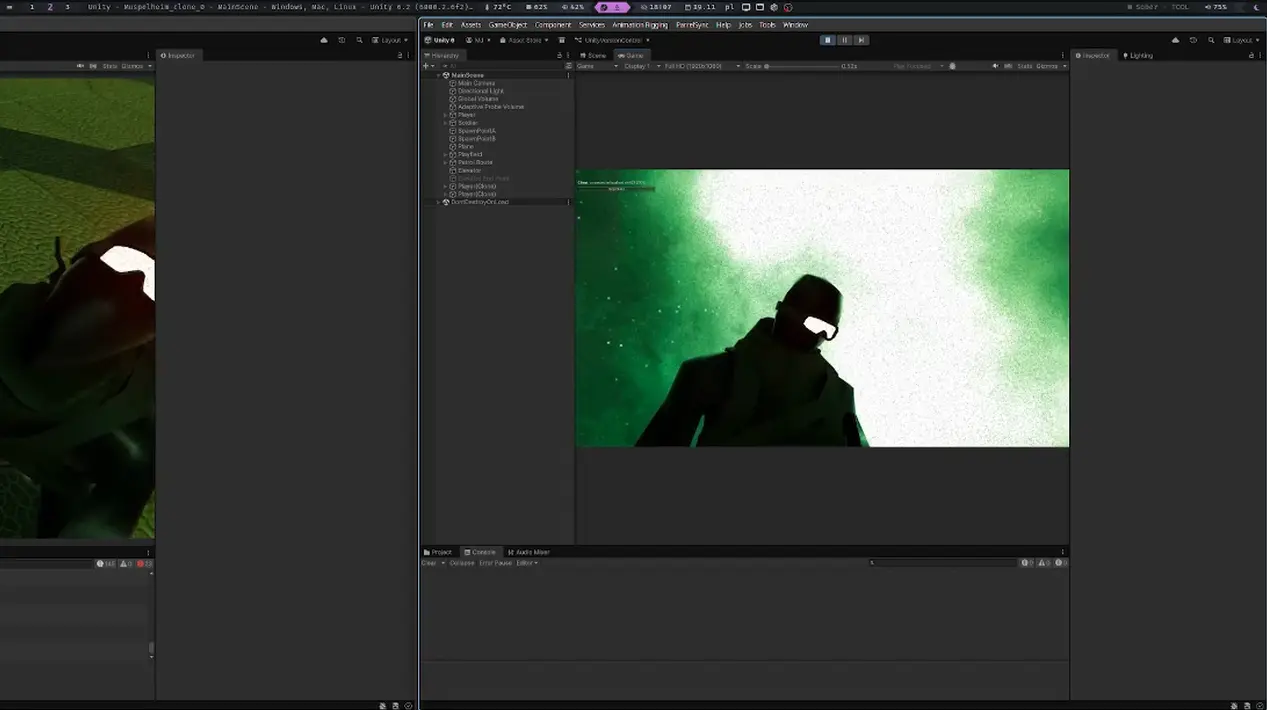
Look at them go. Two agents meeting each other over the network, all thanks to Mirror.
This works so elegantly because C# as a language enables this kind of abstraction. Mirror uses attributes and method hooks in a way that C++ simply cannot replicate without some kind of demonic preprocessor abuse. It forced me to reconsider my evaluation framework: UE5’s toolset is powerful but acts as a walled garden. Unity is porous, allowing brilliant external tools to seep in and become first-class citizens.
The Linux Experience: An Honest Kind of Broken
Despite the robust architecture, developing in Unity on a Linux machine is an exercise in enduring death by a thousand paper cuts. The build pipeline is impeccable, but the editor itself carries the distinct, lingering scent of a port. It works, but in the way a car with a check engine light works: you learn to ignore the faint rattle because the alternative is walking.
Because I use a Wayland-based desktop environment (Niri), the interface
constantly fought me. Dropdown menus render in the wrong place. Context menus
flash and disappear. There is zero UI scaling on Linux: everything is either
microscopic, or, if you force GDK_SCALE=2, comically massive. But the most
infuriating bug was that certain dropdowns simply could not be clicked. Adding
collision layers, a fundamental task for any game, was impossible through the
editor UI. The only way I could assign physics layers was to write a custom C#
editor script to bypass the broken interface entirely. What a bother.
Then there is the bizarre degradation of performance. As my project grew, the editor began to crash unpredictably. Native Linux test builds of my game suffered from choppy framerates and sluggish physics processing. Assuming I had catastrophically mismanaged my code, I compiled a Windows build and ran it through Bottles (a WINE compatibility wrapper) as an experiment.
It ran flawlessly. Smooth framerates, zero stuttering. A compatibility wrapper translating Windows API calls on the fly delivered a vastly superior experience to the officially supported, native Linux build of the engine. Isn’t that strange? Something is profoundly broken in Unity’s Linux player pipeline, and I lack the patience to become a compiler engineer just to diagnose it.
Add to this the fact that Linux build times are effectively a coin flip. Sometimes taking ten minutes, other times taking three hours to randomly recompile every shader in the project. You realise that Unity’s QA team clearly does not spend much time outside of Windows. Not saying that with any contempt – Linux supremacy is quite recent after all – but it is nevertheless regrettable.
Ecosystem Fragmentation and the Tooling Tax
If you want to learn Unity, the official documentation is excellent for syntax reference, but terrible at teaching architecture. This forces you into the wider ecosystem of tutorials, which introduces you to Unity’s infamous rendering fragmentation.
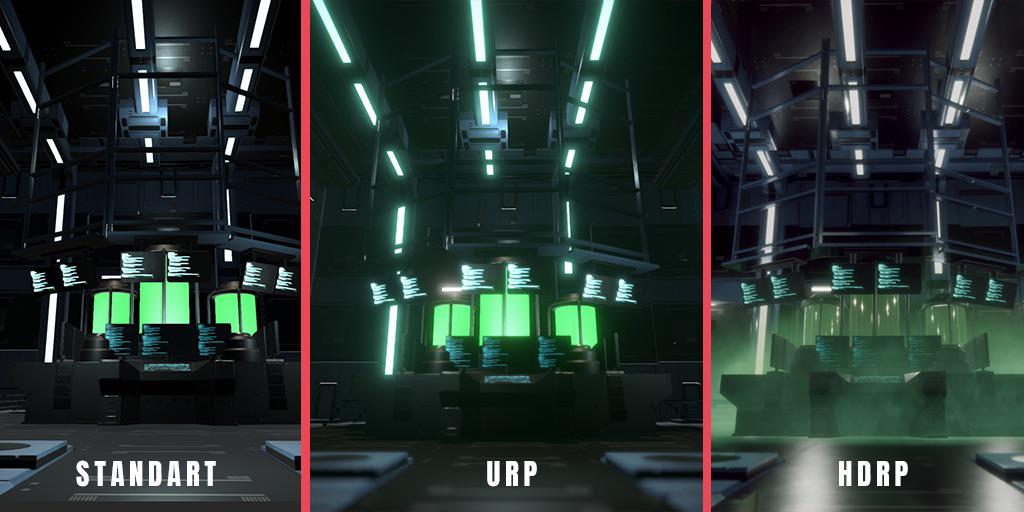
Unity has three distinct rendering pipelines: Built-in (BRP), Universal (URP), and High Definition (HDRP). You will frequently follow a beautifully crafted YouTube guide, only to discover halfway through that the assets they told you to import don’t support URP. The comments section is always a graveyard of confused beginners crying, “Doesn’t work in URP!” Furthermore, because Unity changes its workflows so rapidly, a tutorial from 2018 might as well be written in Sumerian. I spent more time debugging outdated information than my own code, eventually giving up and using LLMs as search engines just to find relevant API calls.
Finally, there is the tooling tax. On Linux, Neovim and its Language Server Protocol (LSP) integration with C# was an impossible nightmare of debugging Omnisharp and project files, which I ultimately never got to work. The only functional C# environment for Linux is JetBrains Rider. Rider is a cool IDE with a pretty good Vim mode, but it is dreadfully, inexcusably bloated. Opening my project would peg all 16 logical cores of my CPU at 100% and spin my fans up like a jet engine. The IDE treats my hardware like a rented mule just to index a mid-sized project. Unfortunately, it stinks.
The Verdict
Unity is a toolkit, and sometimes that toolkit includes tools you must write just to fix the toolkit itself. It is, at the very least, an honest kind of broken. The cracks are visible from the start, but the foundation is sound.
Despite all the aforementioned friction, I actually managed to finish a working tech demo. Hosted on Codeberg, a fully functional, networked 3D co-op stealth game where two players infiltrate a dark corner of Europoort, retrieve data, and are graded on their performance, complete with revive mechanics and hard win/fail states. Actually shipping a networked 3D title as a novice is no small feat, and it stands as hard proof that beneath Unity’s UI jank and Linux neglect lies a remarkably capable engine. Big ups to Unity Technologies and the Mirror team for that.
Godot 4.6
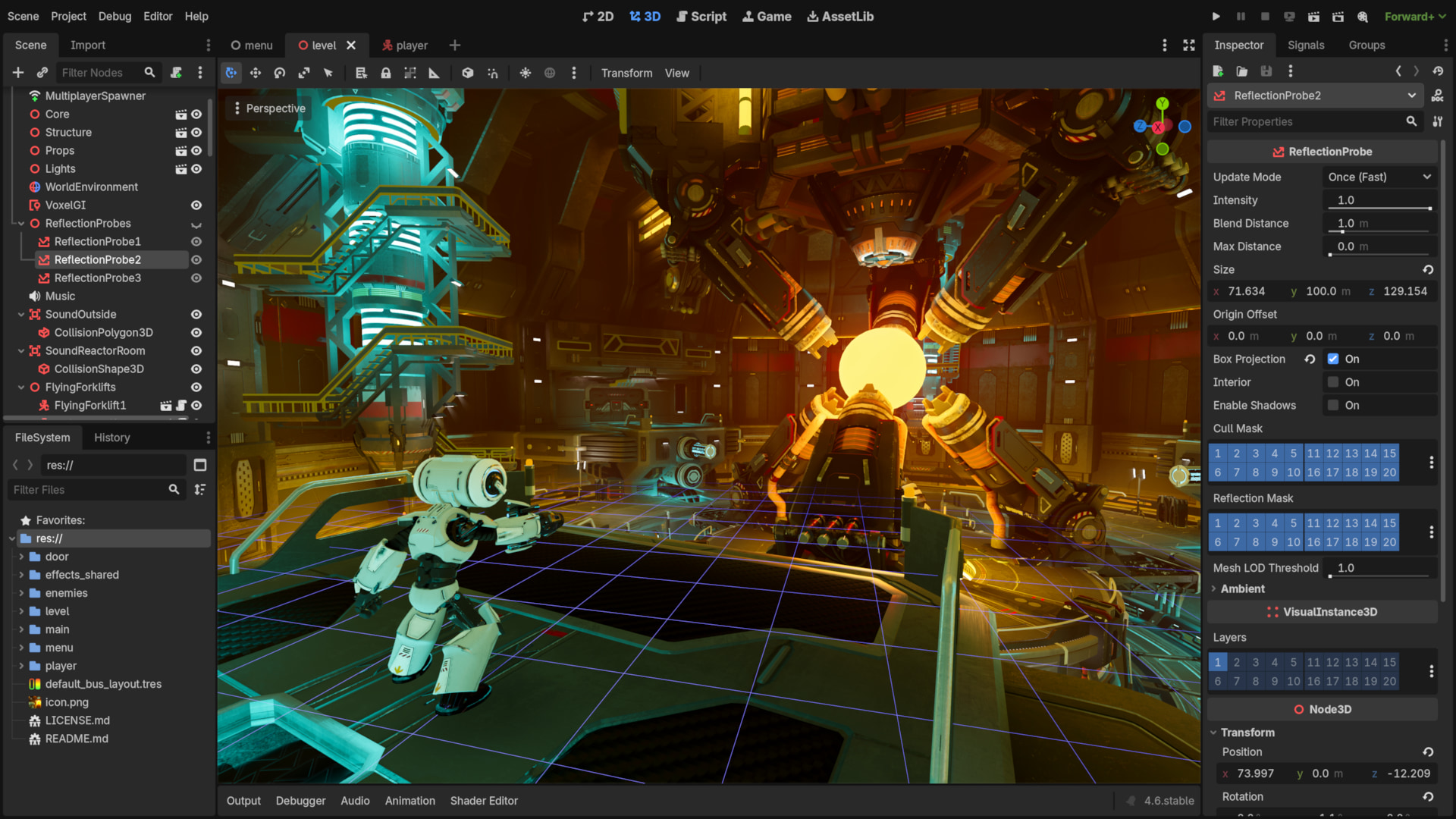
If you have been paying attention, you might have noticed a small inconsistency in my earlier storytelling. I claimed my “first real foray” into game development was with UE5. Chronologically, that is a lie. My actual first steps were taken with Godot 3.x, years before I ever installed Epic Games’ launcher.
Why would a free software advocate start with a proprietary engine and only later try the libre alternative? The truth is, my early experiences with Godot were frustrating enough that I convinced myself I needed something more “professional.” Only after being burned by Unreal’s infrastructure and worn down by Unity’s editor did I find myself circling back, older, more experienced, and ready to see if Godot 4.6 had matured into a viable daily driver.
The Dream of Godot
When you look at Godot objectively, you realize that the engine represents something a lot more than meets the eye. A description I really liked calls Godot a dream. The entire philosophy that willed Godot into existence is the dream that making games could be done entirely for free. The dream that it could be done on a standard, unexceptional laptop without enterprise-grade hardware. The dream that an free software tool, built by a community, could combine an elegant editor with a solid project structure and eventually stand shoulder-to-shoulder with multi-billion-dollar proprietary monoliths. It likely never will, but that’s what dreams are all about, right?
Godot doesn’t have AAA, photorealistic landscapes out of the box. You know what else it doesn’t have? Bloat, broken marketplace infrastructure, and five-business-day loading times. You click on your project, wait maybe two seconds, and the entire environment is loaded and ready to use. After months of watching Unity’s editor slowly choke on its own complexity, and years of knowing Unreal requires a coffee break just to open a project, this felt like a miracle. It reminded me why I fell in love with computers in the first place: they are supposed to be fast, and they are supposed to get out of your way.
Architecture: Scenes and Structure
Under the hood, Godot’s architectural core is a thing of beauty. Where Unity
relies on a flat hierarchy of GameObjects stuffed with isolated component
scripts, Godot operates entirely on a Node-based scene tree.
Everything is a node, and nodes can have children. But the real power of Godot
is the PackedScene. A major revelation for me was the realization that you
should make almost everything a scene. If you have a set of nodes that fulfills
a singular function, even if it’s just a sprite and an animation player, save it
as its own .tscn file. Instantiate it wherever you need it. This encourages
you to compartmentalise functionality, makes components highly reusable, and
keeps your main node trees incredibly clean. It is simple, but it structurally
conveys exactly what it needs to at a single glance. Sure, Unity does the same
with prefabs, but I feel like the Godot implementation is even cleaner.
GDScript, Typing, and the Neovim Workflow
Godot’s primary language is GDScript. In the past, my biggest gripe with Godot was how it fought my Neovim workflow. The built-in editor’s primitive Vim emulation used to drive me insane. I once rage-quit the engine entirely because I changed a setting from “tabs” to “two spaces,” and the engine autonomously reformatted my entire project, converting spaces to tabs and instantly breaking every script because GDScript relies on indentation for scope delimiting. A tool reaching into my files and breaking them without asking was a profound violation of trust and it made me upset.
However, Godot 4 fundamentally shifted the engine’s relationship with external tools. The LSP integration, once something I never got to work, now just works. At least, after some substantial Neovim configuration. It was all worth it, though, because the LSP doesn’t crash. It provides instant autocomplete, go-to-definition, and find-references. Even the Debug Adapter Protocol (DAP) works seamlessly, allowing me to set breakpoints and step through code directly from inside my terminal. The engine no longer forces me into its built-in editor or punishes me for wanting modal editing. Awesome! Below is my configuration as I use it with LazyVim:
return {
  -- add the LSP server configuration through lspconfig
  {
    "neovim/nvim-lspconfig",
    ---@class PluginLspOpts
    opts = {
      ---@type lspconfig.options
      servers = {
        gdscript = {
          on_attach = function(_, bufnr)
            vim.bo[bufnr].expandtab = true
            vim.bo[bufnr].shiftwidth = 4
            vim.bo[bufnr].tabstop = 4
            vim.bo[bufnr].softtabstop = 4
          end,
        },
      },
    },
  },

  -- DAP
  {
    "mfussenegger/nvim-dap",
    dependencies = {
      "nvim-neotest/nvim-nio",
      "rcarriga/nvim-dap-ui",
      "theHamsta/nvim-dap-virtual-text",
    },
    config = function()
      local dap = require("dap")
      local ui = require("dapui")

      require("nvim-dap-virtual-text").setup({
        show_stop_reason = true,
      })
      -- Keymaps
      vim.keymap.set("n", "<F8>", dap.toggle_breakpoint, { desc = "Debug: Toggle Breakpoint" })
      vim.keymap.set("n", "<F5>", dap.continue, { desc = "Debug: Continue" })
      vim.keymap.set("n", "<F10>", dap.step_over, { desc = "Debug: Step Over" })
      vim.keymap.set("n", "<F11>", dap.step_into, { desc = "Debug: Step Into" })
      vim.keymap.set("n", "<F9>", dap.step_out, { desc = "Debug: Step Out" })
      -- evaluate variable under cursor
      vim.keymap.set("n", "<F12>", function()
        ui.eval(nil, { enter = true })
      end, { desc = "Debug: Expand" })
      vim.keymap.set("n", "<F6>", function()
        dap.terminate()
      end, { desc = "Debug: Terminate" })

      dap.configurations.gdscript = {
        {
          type = "godot",
          request = "launch",
          name = "Launch Scene",
          project = "${workspaceFolder}",
        },
      }
      dap.adapters.godot = {
        type = "server",
        host = "127.0.0.1",
        port = 6006,
      }

      ui.setup()

      dap.listeners.before.attach.dapui_config = function()
        ui.open()
      end
      dap.listeners.before.launch.dapui_config = function()
        ui.open()
      end
      dap.listeners.before.event_terminated.dapui_config = function()
        ui.close()
      end
      dap.listeners.before.event_exited.dapui_config = function()
        ui.close()
      end
    end,
  },
}
Furthermore, GDScript allows for explicit static typing. I configure the editor to throw hard errors if a variable is left untyped or cannot be inferred. Every variable, parameter, and return value is explicitly typed. When your Neovim setup catches your logic mistakes before you even compile the game, refactoring becomes a safe, mechanical process rather than a leap of faith.
Caveats: 3D, Physics, and Web Builds
Of course, it is not a perfect engine, and it is important to acknowledge its widely documented blind spots. For instance, I have strictly stuck to 2D during my Godot evaluations, so I have no firsthand experience with its 3D faculties. However, from what I could gather, there seems to be a common thread across the Internet that Godot’s 3D performance and tooling remain highly subpar compared to the heavyweights. If you want to build a sprawling, high-fidelity 3D world, UE5 is still the industry standard for a reason.
People also say the engine’s built-in physics can be strange and inconsistent.
But in my experience with 2D, the physics engine works perfectly fine for basic
functionality, like checking if a mouse cursor has entered or exited an
Area2D. I also have absolutely zero experience with Godot’s web building and
exporting, so I cannot personally speak to the community complaints about
massive HTML5 payload sizes, but it is something to keep in mind if browser
games are your target.
Greatness of the GUI Toolkit
Where I will strongly push back against some criticisms is the GUI toolkit. I read a few times that the Godot’s UI system is clunky, heavily nested, or overly verbose, but I don’t really see how.
While I will concede that the theming functionality is somewhat awkward to wrap
your head around initially, once you get the hang of it, it is incredibly
powerful. Godot’s UI tools (the Control nodes) are infinitely better than
Unity’s convoluted canvas systems, and they sit comfortably on par with Unreal
Engine 5’s UMG interface. Quite frankly, I even prefer Godot’s toolkit to UMG.
Features like VBoxContainers and MarginContainers natively handle UI
scaling and anchoring beautifully. Building a complex settings menu in Godot
actually feels like software engineering, not wrestling with a visual layout
glitch. It’s pretty good.
The Ecosystem and the Fork Escape Hatch
It goes without saying that Godot’s ecosystem is smaller than its corporate rivals. You will not find thousands of high-fidelity assets ready to drag and drop, and there is no equivalent to Epic’s Fab. What you will find, however, is a collaborative community that genuinely cares about the software.
But we also have to talk about the reality of modern free software. Godot’s management, like almost every other free software project nowadays, has been partially hijacked by weird, mentally ill men who feel a compulsive need to inject their incoherent political ideologies into spaces where politics are neither expected nor wanted. They roleplay human resource departments with “Codes of Conduct,” plaster manifestos in README files, and generally make the experience of interacting with a free software project feel like you’re a nurse in a low-security psychiatric facility.
However, if a patient tells you that he can fly, you just ignore him and make sure he stays away from high elevations. It’s not really that big of a deal.
This is where the ultimate, insurmountable advantage of free software comes into play. In a proprietary engine, you are stuck. If the CEO of Unity decides to charge you a per-install fee, or Epic Games decides to flood your marketplace with AI sludge and lock you out of your paid plugins, you have no recourse. You can write angry forum posts, but you cannot fix it.
With Godot, you are an owner. If the project’s leadership were to truly go off the rails and inject nonsense into the core architecture, you can simply fork it. You keep your copy, modify the source code yourself, and carry on. Currently, the technical output of the project is flowing as decently as ever, so a fork isn’t necessary. But as a developer, knowing that I hold the keys to my own tools, knowing that no corporate entity or forum moderator can ever revoke my access or break my game, provides a level of absolute peace that Unreal and Unity can never offer.
Godot, in its current form, is a genuinely phenomenal piece of software. It respects my workflow, runs at the speed of light, and fundamentally belongs to the people who use it. Life is good.
Final Thoughts: The Right Tool for the Right Mind
If my journey through the three major game engines has taught me anything, it is that game development is every bit as crushingly unforgiving as I initially suspected. It is an intricate, interconnected discipline of logic, physics, and art. But more importantly, it taught me that the tool you choose dictates not just the technical ceiling of your project, but the baseline level of your daily sanity.
There is no objectively “best” game engine. There is only the engine whose specific brand of friction you are most willing to tolerate, I think.
If your ultimate goal is to churn out the next photorealistic, AAA-style blockbuster, and you genuinely do not care about the underlying visual enshittification, software ownership, or text-based workflows, Unreal Engine 5 is sitting right there. It provides a staggering, million-dollar toolkit for basically free. But you must enter that ecosystem fully accepting the reality of your situation: you are a tenant in Epic Games’ walled garden. Your workflow will be dictated by binary spaghetti, your game’s visual clarity will be smeared by TAA, and your access to your own purchased tools can be unilaterally revoked by a broken corporate launcher at any moment. It is a breathtakingly powerful engine, but it is fundamentally hostile to the ethos of free computing. As mentioned earlier, I think it sucks.
If you want a robust, architecturally sound middle ground, Unity 6 remains a highly viable option. It is, as I said, an honest kind of broken. It taught me how to actually build and structure a game, and frameworks like Mirror prove that C# is a uniquely elegant language for solving complex engineering problems like networking. But as a Linux user, choosing Unity means actively choosing to endure a painfully bad user experience. You must be willing to navigate a minefield of deprecated rendering pipelines, tolerate UI glitches, maybe write custom scripts just to fix broken parts of the editor, and surrender your system resources to a bloated IDE. It is an awesome engine, but it simply does not care about you or your operating system. It’s also a little bit confused.
And then there is Godot. It is the engine I abandoned in frustration years ago, only to return and find that it was exactly the tool I needed to use from the beginning. It does not possess a billion-dollar rendering pipeline, and its 3D capabilities cannot go toe-to-toe with Unreal. But it loads in two seconds. Its node architecture is elegant and intuitive. It plays flawlessly with my Neovim environment, respects my hardware, and catches my mistakes with strict static typing.
Most importantly, Godot is the only engine on this list that provides true peace of mind. It won’t arbitrarily shut off my plugins, it won’t force me to pay a retroactive per-install tax, and its asset infrastructure won’t be brought down by a single user uploading 38,000 AI-generated models. Because it is free software, I hold the ultimate trump card: I own the tool.
A computer is supposed to be a machine that allows for magic. When you are fighting a proprietary launcher, wrestling with a sluggish editor, or mourning the loss of a clean text-based workflow, you aren’t making magic, you are just doing corporate plumbing. Godot gets out of the way and lets me focus entirely on the art of building systems.
-
I feel obligated to mention that the author behind the channel is a rather controversial character in the rendering scene, mostly because he is notoriously thin-skinned and tends to take immense personal offence at any criticism levied against him or his work. However, his prickly personality should not be used as a convenient excuse to dismiss his otherwise strictly factual analysis, and my inclusion of his findings here is certainly not an endorsement of his character. Regardless of the messenger, I highly recommend looking into his teardowns. They mathematically prove that Unreal Engine 5 is a complete farce at the foundational level, aggressively contradicting almost every single one of its miraculous marketing claims. That is, if simply looking at UE5 games is not enough proof. ↩︎