
If you have read anything I’ve written about artificial intelligence, you already know I don’t belong to either of the warring cults that dominate the conversation. I’m not a pro-AI cultist who believes a prompt box will think for him, code his dating app, and balance his chequebook while he vibe-codes his way to a yacht. I’m also not an anti-AI cultist who treats a statistical pattern-matcher as a soul-sucking digital monster birthed from theft. Both positions substitute hysteria for reasoned debate, and they both make it impossible to talk honestly about what these tools actually are.
“My workflow”
I say this up front because this article is about how I, a sceptic-from-start of Silicon Valley’s reality-distortion field, ended up with a genuinely useful AI-assisted programming workflow.
To begin with, I never was too fond of the idea of AI-assisted programming, especially given the impossible hype surrounding American companies that burn through billions of dollars like it’s morning breakfast. I kept my eyes on the Chinese competitors, but only to see how badly the Americans get humiliated.
Then Deepseek V3.5 arrived, and suddenly watching the humiliation wasn’t the
only interesting thing. Its API pricing was so aggressively reasonable that it
made Anthropic’s burn rate – twenty dollars gone in under an hour of casual
prompting – look like a protection racket rather than a service. I’m not the
sort of person who will pay a Silicon Valley giant a mortgage-sized
subscription just to have a robot finish my if-else statements. But when a
model offers genuinely useful completions at a cost that feels less like a
billable lawyer and more like a cheap utility, the pragmatist in me is required
to pay attention. That was the gap between hype and reality I’d been waiting to
see close, and it’s what finally convinced me to wire a language model into my
meticulously hand-crafted Neovim environment. Not because I suddenly believed
the pro-AI gospel, but because the business proposition finally started making
any kind of sense.
Starting slow

I called the approach I unknowingly starting with starting slow, and I mean that literally. The first thing you notice when you try to turn DeepSeek into a proper coding agent – the kind that reads your whole codebase, writes patches, and iterates on compiler errors – is that it is slow. Not broken, not stupid, just unhurried. For an assistant that lives in your editor and occasionally finishes a line or suggests a refactor as you type, that’s perfectly fine. For an agentic workflow where you’re waiting on a dozen sequential calls to generate, evaluate, and re-generate a solution, that latency compounds into a genuinely painful experience. It felt less like a coding partner and more like a philosopher methodically typing out their thoughts with a single finger.
But that slowness isn’t a flaw of the model; it’s a category error in how I was trying to use it. DeepSeek V3.5 (V4 is out now) is an excellent competitor to Google Gemini, to the non-agentic offerings of Anthropic, and absolutely blows the doors off anything OpenAI has been phoning in lately. For the kind of work I actually do most of the time, meaning asking a language model to explain a cryptic API, generate a well-typed GDScript function from a plain-English description, or translate a blob of bash into a safer alternative… it is more than adequate. The completions are sharp, the price is embarrassingly low next to Anthropic’s burn rate, and I’m not showering money on a company that’s trying to reinvent the dot-com bubble with worse economics. Compared to Google Gemini, which is otherwise quite reasonably priced, DeepSeek still undercuts it while delivering reasonable code generation quality in the languages I care about. Does not have Google’s irreplaceable training data, but whatever.
So I stopped trying to make it into an agent. I let it be what it was: a fast-thinking, slow-replying librarian with encyclopedic knowledge of APIs who charged me pocket change for the privilege.
Minmaxing my flow

Since I did not mind giving the Chinese some money for a good service, the five dollars I paid for DeepSeek’s API gave me an appetite for more, and better, solutions. I had already proven to myself that a non-agentic assistant could be genuinely useful. But the moment you taste what a model can do when it’s allowed to read your files, iterate on errors, and make surgical edits, the appeal of something more autonomous becomes hard to ignore. I wanted an agent. I just didn’t want to pay a Silicon Valley landlord twenty dollars for the privilege of watching my rate limits evaporate after two prompts.
That’s where MiniMax-M2.7 entered the picture. It’s a Chinese model, backed by a company that apparently decided the path to world domination did not involve charging each token like it was a rare earth mineral. The pricing alone is a polemic against the Americans. For ten dollars a month, you get a subscription with API call limits so generous that I have never managed to push my usage above thirty percent, even during heavy agentic sessions spanning eight hours. Meanwhile, over in Anthropic land, developers making their LLMs roleplay as cavemen in their system prompts just to shave off token counts, because every syllable costs as much as a sprinkle of saffron. People are literally removing punctuation and writing in broken pidgin to stay within their monthly allowance. That’s not prompt engineering, that’s hilarious.
Now, let me be clear: I’m not claiming MiniMax-M2.7 is outright better than Claude. It’s not. From what people say: Claude’s reasoning is sharper in some edge cases, its prose is often more natural, and its ability to handle truly massive context windows is genuinely impressive. But the question isn’t which model wins in a white-glove academic benchmark. The question is which model lets you do real work without constantly glancing at a meter running in the corner of your screen. When a single afternoon of agentic coding can burn through a twenty-dollar Claude subscription faster than a toddler with a credit card in a mobile game, any marginal “intelligence” advantage becomes irrelevant. I’m not paying a monthly tithe to Anthropic just so their model can occasionally be ten percent better at writing a Dockerfile. Or help missiles target Iranian schoolgirls.
My ten dollars go through without a second thought, and I still haven’t hit that ceiling. That’s the kind of pricing that makes you stop worrying about the tool and start focusing on the craft. And, as I like to say, that’s the whole point: a computer is supposed to be a machine that allows for magic, not a platform for corporate plumbing. MiniMax, remarkably, understands that.
The fact that their model weights are open just sealed the deal for me, whereas Anthropic and ClosedAI still refuse to do such a basic thing.
Properly interfacing
As one would expect, there’s a ton of AI coding tools out there, and most of them are genuinely useless. That’s not hyperbole; it’s what happens when a gold rush meets a low barrier to entry. The landscape is flooded with proprietary, Electron-wrapped disasters that exist solely because someone vibecoded a frontend onto an OpenAI API key and called it a startup. They lock you into a single provider, which is often with opaque pricing and zero configurability, and then charge a subscription for the wrapper. The irony is thick: you’re paying a premium to interface with an API that already uses a well-documented, open standard, but you’ve forfeited the ability to swap models or tweak parameters because the tool’s developer didn’t think that far ahead. In a world where the OpenAI API format and the Anthropic API format are the only de facto standards, there’s no technical reason for such lock-in. It’s a business decision, and a lazy one at that. A lot of people get sucked into it, from what I can see.
The more insidious problem is that most of these tools are themselves products of the very vibecoding culture they enable. They are buggy, slow, and abandon every principle of software craftsmanship. The quality is evident in how poorly they function: crashes, failed edits, and the peculiar kind of jank that comes from a codebase nobody fully understands. I spent a solid week testing candidates. For instance: Goose, a free software agent that initially seemed promising for its multi-provider support and decent licensing, turned out to be mediocre and prone to silent failures. It would occasionally spin out into a loop of edits that made things actively worse, and its interface felt like it was fighting me at every turn. Finding the right tools took time, which is why I am writing this article, so that you don’t have to do this painful search yourself.
My workflow
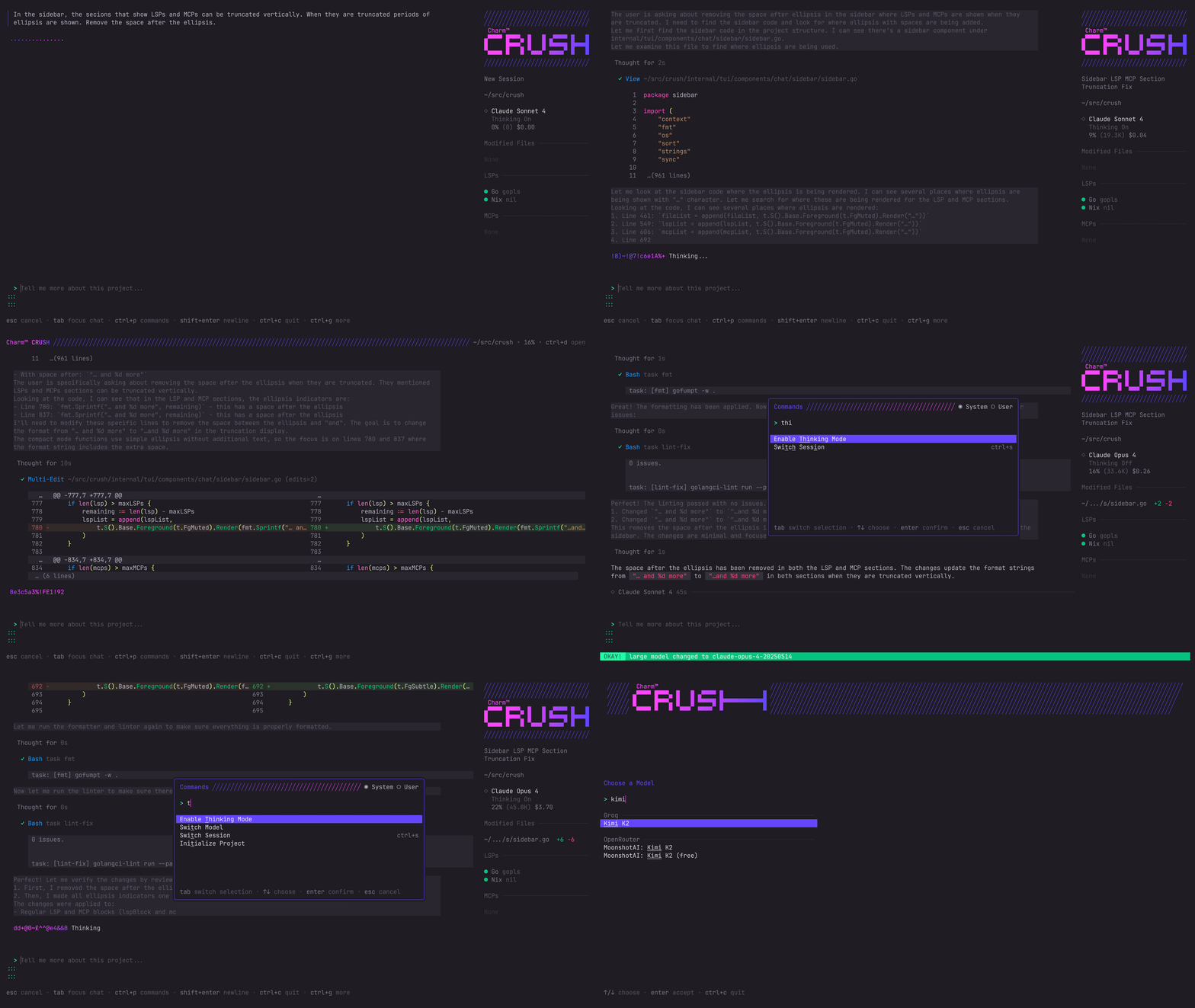
After a week of kicking tyres on every AI coding tool I could find, I landed on Crush. It is a terminal-native agent from the Charmbracelet ecosystem: the same people behind Glow, Gum, and a constellation of other tools that actually make the terminal look fabulous. If you have ever used a Charm project, you know what that means: fast, keyboard-driven, and utterly free of Electron-shaped bloat.
Crush ticks every box I care about. It is free software with crush.json as
its single configuration file. JSON is annoying to edit by hand. I would have
preferred TOML, but it is declarative, deterministic, and trivial to parse,
which makes it arguably the least bad choice for a tool that needs to be
scriptable across environments. One file, and I know exactly what my agent
believes is true.
It is exactly the sort of tool I would have built myself if I had a spare
twenty years and a lot more patience. Because everything lives in a single
crush.json, I can show you the exact configuration that powers my daily work
without any handwaving:
{
  "$schema": "https://charm.land/crush.json",
  "mcp": {
    "mcp_minimax": {
      "type": "stdio",
      "command": "uvx",
      "args": ["minimax-coding-plan-mcp", "-y"],
      "env": {
        "MINIMAX_API_KEY": "$(echo $MINIMAX_API_KEY)",
        "MINIMAX_API_HOST": "https://api.minimax.io"
      }
    },
    "mcp_browser": {
      "type": "stdio",
      "command": "bunx",
      "args": ["@browsermcp/mcp@latest"]
    },
    "mcp_svelte": {
      "type": "http",
      "url": "https://mcp.svelte.dev/mcp"
    }
  },
  "lsp": {
    "go": {
      "command": "gopls"
    }
  },
  "permissions": {
    "allowed_tools": [
      "view",
      "ls",
      "grep",
      "edit",
      "mcp_minimax",
      "mcp_svelte"
    ]
  }
}
The Model Context Protocol
(MCP) servers are
where most of the capability lives beyond the base model. The
mcp_minimax server
provides MiniMax’s own coding plan capabilities over a simple stdio bridge:
no proprietary daemon, no black-box background process, just a command executed
on demand. The browser MCP server gives the agent access to live web
documentation when it needs to pull in current API references or debug
something that postdates its training cutoff. The Svelte MCP server is there
because I occasionally poke at frontend work and, pragmatically, having the
framework’s own context server available through a standard HTTP endpoint is a
genuine productivity win. None of these are mandatory; each is a composable
service I can add or remove without rewriting anything, other than the JSON
configuration file. I think it’s amazing.
The LSP block currently only specifies gopls for Go, but the point is that Crush is not limited to string matching. It can hook into the same language server my computer uses, giving it structured knowledge of types, definitions, and references.
Finally, the permissions model is something welcome to see, given that the tool can edit files; explicit and restrictive. I whitelist the built-in tools (view, ls, grep, edit) and select MCP servers. The agent cannot spawn arbitrary processes, access the network outside of the defined MCP bridges, or touch files I haven’t explicitly allowed. However, despite this, I still opt into the “YOLO mode,” which is what Crush calls its autonomous agent mode.
Sharpening the tool with skills
Even the best agent is only as good as the instructions you give it. A raw LLM dropped into a codebase has no shared language, no alignment on what you actually want, and a tendency to produce twenty files of code where one would do, because millions of assumptions are being made on part of the LLM. The fix for this, surprisingly, isn’t more prompting on your end: it’s training the agent to grill you.
That realisation came from Matt Pocock’s skills
repository, which unexpectedly went
viral for a collection of composable, model-agnostic “skills”, which are small markdown
files that shape agent behavior. Pocock’s skills do something counterintuitive:
instead of you asking the questions, the agent interrogates you until clarity
is achieved. The flagship is /grill-me (shown below), and it is single-handedly capable of
extracting the design model out of your head and crystallising it into a living
document. I use an adaptation that outputs to ARCHITECTURE.md, but the
principle is the same: the agent walks down every branch of the decision tree,
resolves dependencies one by one, and refuses to proceed until both parties
understand the shape of the problem.
---
name: grill-me
description: Interview the user relentlessly about a plan or design until
reaching shared understanding, resolving each branch of the decision tree. Use
when user wants to stress-test a plan, get grilled on their design, or mentions
"grill me".
---

Interview me relentlessly about every aspect of this plan until we reach a
shared understanding. Walk down each branch of the design tree, resolving
dependencies between decisions one-by-one. For each question, provide your
recommended answer.

Ask the questions one at a time.

If a question can be answered by exploring the codebase, explore the codebase
instead.
The power of this approach is hard to overstate. Before I adopted it, I’d watch
agents build the wrong thing at lightning speed because they made a hidden
assumption five turns ago. Now, the grilling session surfaces those assumptions
before a single line of code is written. Pocock’s repository has a whole
ecosystem of these skills: /grill-with-docs for domain-driven design
sessions, /diagnose for disciplined debugging loops, /tdd for
red-green-refactor cycles, and so on. Each a small, composable piece of
engineering wisdom that you can drop into any agent. Crush’s support for the
Agent Skills standard means they plug directly
into my workflow with no adaptation required.
Combined with a tool like Crush, these skills transform the agent from a script kiddie on too many energy drinks into something closer to a sharp, methodical junior developer who demands clarity before making a mess of your codebase. They don’t just make the LLM context-aware; they make it context-driven. And that, in a domain where misalignment is the single most common failure mode, is the difference between a tool you trust and a toy you tolerate. The talk on YouTube linked earlier is a good watch.
Putting it all together
I would gladly write a neat explanation approximating a list of steps, like Do this → Do that → Then finally this, in order to hand you the perfect
workflow, but that’s not really how any of this works. Everyone has different
needs, different operating systems, different levels of tolerance for JSON, or
whatever else. Most of what I’m describing probably wouldn’t work as well on
Windows; I have no idea how Crush behaves under PowerShell, and I’d rather not
pretend it’s a universal turnkey solution. What I can do, however, is lay out
what I found to work best, what fell flat, and the principles that helped me
stop wasting time.
Programming skills
A blank-slate agent is a stupid agent. Every new conversation forces it to
rediscover your project structure, your naming conventions, your architectural
preferences, all of which you already know. The agent can, too! The solution is
to preload context. In the case of Go, Samber’s
cc-skills-golang is the best
example I’ve found of how to do that in practice. It shows how to seed your
agent with a cache of project conventions, file layout, testing strategy, and
idiomatic patterns for the Go programming language, so that every interaction
doesn’t start from zero.
Adapt the concept to your own stack. It’s not just for Go. You’ll stop paying tokens to re-teach the same lessons every session.
… or make your own skill
Once you’ve seen what a well-crafted skill does, the natural next step is
setting up your own. That’s where Pocock’s
/write-a-skill
skill closes the loop. It teaches the agent how to write skills, which means
the agent can then generate new skills on demand. Makes sense, right?
Say you want the agent to become fluent in a niche programming language. You
feed it the language reference, like a PDF spec, or a markdown cheat sheet, or the
official docs, and invoke /write-a-skill. The agent follows the
skill-writing process: it asks you about the specific use cases, decides
whether utility scripts are needed, and drafts a SKILL.md with the correct
structure. Two minutes later you have a composable, reusable skill file
that permanently encodes the language’s idioms, footguns, and standard library
patterns. Every future session starts with the agent already speaking the
dialect correctly.
The same pattern works for any domain that requires repeated context: a company’s internal API conventions, a specific database schema, the rules of a board game you’re implementing. Instead of re-pasting reference material into every conversation, you crystallise it once into a skill and move on.
The structure the agent follows is straightforward: a SKILL.md with a
description that tells the agent:
- when to trigger the skill,
- the description,
- and, optionally, references to other files whenever needed (according to
standard: under a
/referencesdirectory next to theSKILL.md).
It is the only thing the agent sees when deciding which skill to load. The description format is deliberately constrained: one sentence on what the skill does, another on triggers, written in third person, under 1024 characters. It’s just enough for the agent to know the skill exists and when to use it.
This bootstrapping property is what makes the skills ecosystem self-reinforcing. Each new skill makes the agent more capable, which makes it faster to produce the next skill. I haven’t tested this extensively to say anything more, but skills should not be ignored.
Finding good MCPs
The Model Context Protocol ecosystem is expanding rapidly, and the difference between a mediocre agent and a great one often comes down to having the right MCP server plugged in. A good resource to use is the Awesome MCP Servers list as a starting point: it’s a community-curated directory of servers for everything from filesystem access to database introspection to browser automation. A standout example, and one I started leaning on, is Browser MCP, which gives the agent a headless browser for extremely fast testing of web UIs, documentation scraping, or checking live deployment output. It’s lightweight, composable, and does exactly one thing well.
Prompting sanely
Perhaps this is obvious by now, but do not type “Make a financial payment app”
and expect anything other than a profoundly undercooked, useless bundle of
files. Vague prompts produce vague code, and the agent will happily oblige. The
skills I discussed earlier, especially /grill-me, are essentially a forcing
function for precise thinking. Digesting a problem into its constituent pieces,
if you will. Before you let the agent touch a file, you should be able to
describe, in concrete terms, what success looks like, which invariants must
hold, and where the boundaries of the current task lie. If you can’t do that,
you’re not ready to prompt; you’re just vibecoding with extra steps, and the
results will reflect that. I treat the craft of prompting as an extension of
software design itself: the clearer my intent, the less I have to fix
afterwards.
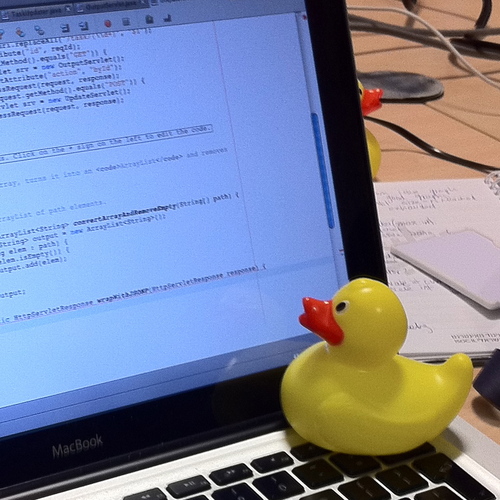
It turns out that’s a skill that transfers straight back into writing better code on my own, too, because it’s a two-for-one: I let a bot do boring work, but also talk to a rubber duck at the same time, getting a better understanding of the problem I am trying to solve.
Conclusion
So that’s the stack: Crush as the agent, Deepseek as the heavy lifter, MiniMax as the quick runner, a handful of well-chosen MCP servers, and a growing collection of composable skills that keep every session from starting at zero. It’s not the only way to do AI-assisted programming, and I don’t claim it is the best. I’ve been doing it only for a short while. But it’s the first setup I’ve used that feels like a genuine multiplier rather than a toy I’m perpetually debugging and getting bored with after a few days.
If you take one thing away from this, it should be that experimentation is mandatory. The landscape is moving too fast for dogma. Try different providers, test free software tools before paying for proprietary ones, and if a piece of software feels like it’s fighting you, throw it out. There’s thousands out there. Most importantly, there are tools that respect your workflow, that load in under two seconds, that don’t lock you to a single AI vendor, that don’t punish you financially for iterating. Those are the ones worth keeping. The ones that don’t are somebody else’s business model.
But the far more important point, the one I would carve into the monitor bezel of every junior developer if I could, is this: prompt engineering is not a substitute for software engineering skill. You can prompt your way into a working prototype, but you cannot prompt your way into a system that is maintainable, secure, or well-architected. That still requires you to understand data structures, to reason about state, to anticipate failure modes, and to recognise when the agent has confidently produced something dangerously wrong. The agent amplifies skill; it does not replace it. A sharp developer with a mediocre model will consistently destroy a vibecoder with a state-of-the-art one.
What I’ve described is a set of tools that, together, help me write better software more quickly, but only because I already knew what good software looks like. I am an intermediate programmer. Treat AI as a force multiplier for your existing discipline, not as a shortcut around the hard parts. Learn the craft first. Then let the agent handle the boilerplate while you focus on the magic.